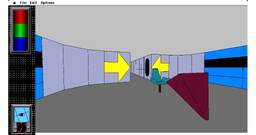
Avalanche: End of the Slope

Hi everyone, welcome back! This is the blog for week 12 — and the last one. My GSoC journey comes to an end with this post. This week I implemented the missing features of the Avalanche engine and tackled some bug fixes — and with that, the Avalanche engine is complete! This is a quick post to meet the Tuesday deadline — a detailed blog covering both the DOS version of Dungeon Master and the Avalanche engine is coming tomorrow.

Till then, goodbye and thank you for reading my blogs! 👋

Final Week

This week was mostly about one thing: finishing the remaining Gus game bugs.

Gus Paint

One of the bugs was in the inside() Lingo function, which was causing the Paint and Play buttons in Gus Paint to crash. I found the fix, but it was slightly wrong in its assumptions. I figured that out a couple of days later when I looked at it again and made the required change.

The game passes a proper POINT and the rect of cBackground, but cBackground is temporarily VOID during the first few frames. This meant inside() received (POINT, VOID) and fell through without returning a value, causing a fatal error.

Fixed it to return FALSE for invalid arguments instead of crashing. Sev also suggested using the existing TYPECHECK macros for handling the different argument types.

There were some other smaller bugs I worked on, like a textbox getting disproportionally larger incrementally with text input. funniest bug so far. fixed it. This one along with some more bugs, will be listed in the PR.

I spent a lot of time simply going through the games and reproducing things that looked wrong.

Over the last few weeks I have gradually gotten better at narrowing those problems down. Instead of immediately assuming that the game itself is doing something unusual, I can now usually trace the failing Lingo call into the engine and figure out what assumption ScummVM is making that the original Director did not.

Looking back

This week was mostly about cleanup: playing through games, finding the remaining failures, tracing them into the engine, and getting them into a state where they can be fixed properly.

And with that, GSoC is coming to an end.

Over the last 12 weeks I have worked on a fairly wide range of things in the Director engine: the ImGui visual debugger, movie cast members, film loops, Lingo debugging and profiling, ImageDiff and buildbot integration (-_-), game detection, and a lot of small engine and game compatibility fixes.

It has been a pretty different experience from working on a normal project. A lot of the time I was dealing with code and file formats that are decades old, trying to figure out not just what the original game is doing, but what Director itself must have been doing underneath it.

I’ll soon be posting a separate write-up covering the work I did over the full 12 weeks.

Because they need some testing, I”ll push the PR for the bugs soon. (Updating soon)

that’s it for week 12 : )

Week 13

Welcome back to the blog. The intro and the outro videos have been implemented and the PR is created. I remember writing in the last week’s blog that I will start testing the videos on the qtdecoder but the video and audio codecs of that format were not supported on scummvm’s qtdecoder. So, the mentors suggested re-encoding the videos to one of the formats that have their decoders implemented in scummvm and sev gave me some options out of which I chose to re-encode them to svq1(one of the reasons being that I was too lazy to write the decoding pipeline for another format and since I already had written it for qtdecoder to test the original assets and that svq1 was one such format that qtdecoder decoded😅). And then we got the intro-

Can’t post the whole intro since it will be too long but here is the beginning.

And this is the outro-

“Copyright 1994 Revolution Software Limited” marks the end of the post credits and then the outro starts.

These intro and outro videos have a resolution of 480X320. sev suggested to keep that resolution and stretch the graphics of the game to match that instead so that it makes the inventory icons look better on the screen as opposed to previously, wherein they appeared a bit large.

This is how they look now-
And the final evaluation timeline has officially started. So, I will now be writing the final report detailing about what all has been done, linking to the PRs and what is yet to be done.

Thanks for reading 🙂

The final post

GSoC 2026 Final Report — Finishing Incomplete ScummVM Engines

Contributor: Ion Andrei Cristian · Organization: ScummVM · Coding period: 25 May – 17 August 2026

This is my final work product for Google Summer of Code 2026. It collects everything I worked on this summer in one place: what the project set out to do, what actually landed, where things stand now, and what is still open for whoever picks this up next.

THE PROJECT

ScummVM has a number of engines that are almost finished — the games boot, most of the logic is there, but something keeps them from being shipped: incomplete low-level graphics, legacy code structures inherited from a decompilation, or gameplay bugs nobody has sat down and tracked to the end. My proposal listed several such candidates. My mentor’s guidance was clear and, in hindsight, exactly right: rather than touching many engines superficially, take two of them all the way to a releasable state.

The two were:

  • Chamber of the Sci-Mutant Priestess — a 1989 adventure by Delphine Software, whose ScummVM engine had a working CGA path but a broken EGA one, no Amiga support, and a long tail of gameplay bugs.

  • MacVenture — the engine behind Déjà Vu, Déjà Vu II, Shadowgate and Uninvited, which ran but crashed regularly and diverged from the original in ways that made the games unpleasant or impossible to finish.

One thing changed along the way. Chamber’s Amiga releases turned out to be a much larger and more interesting piece of work than anticipated — a whole second renderer, with planar graphics, a different palette system and two separate regional releases. I discussed it with my mentor and we agreed it was worth doing properly rather than skipping. It became roughly a third of the summer.

WHAT I DID

Chamber of the Sci-Mutant Priestess

Getting EGA right. The EGA renderer was the headline problem. I fixed detection MD5s and title screen rendering, a transition that took twenty seconds on player death, mouse click coordinate latching, cursor hotspots, and implemented a missing script opcode. Later came a series of memory-layout bugs where EGA’s different buffer geometry caused writes to overflow into neighbouring structures and corrupt sprite lists and the backbuffer.

Gameplay and scripting. An infinite “you failed the ordeals” death loop caused by a timer bleeding across rooms. An endgame confrontation menu that re-prompted forever because a priority command never restored its stack pointer. An opcode whose operand width was wrong by one byte, silently desynchronising the whole script stream after it. Stale actors and commands surviving room transitions.

Randomness. The engine’s randomize() was a stub, so the seed was always zero and the sequence identical on every run — which made the same character spawn first in every single playthrough. The original seeded from the BIOS timer tick, and that seed is only the starting offset into a fixed table the game walks for its random values. I kept the table, so the distribution still matches DOS exactly, and took the offset from Common::RandomSource instead — which, on my mentor’s suggestion, also means the random_seed config key makes a run reproducible when you are chasing a bug.

The Amiga port. This was the biggest single piece. I reverse-engineered the Amiga data formats — 16-colour four-plane bitplanes, 12-bit RGB palettes, the SPRIT/PUZZL sprite containers with their byte-swapped dimensions, the cursor format — and built a renderer that shares the EGA chunky pipeline while differing in palette and planar conversion. Then the same again for the US “Chamber” release, whose executable has a completely different static-resource offset table. Both the European “Kult” and US releases are now playable start to finish.

Save/load. Scripted room changes — the De Profundis monster, Deilos — lived only in the backbuffer and vanished when you reloaded. Version 2 of the save format stores the backbuffer.

Release work. Static analysis passes (Coverity and PVS-Studio findings), a detection fix for folders containing both CGA and EGA data (bug 17004), engine enabled by default, all variants promoted to testing.

MacVenture

Getting the data in. The Steam re-releases wrap the game data in a CEF application, with an HFS disk image buried in a PE resource. I wrote a devtools extractor for it, extended it to the Apple IIGS disks, and fixed IIGS detection, which had been silently dead because there was no data-fork fallback.

Crashes. Inventory windows closed out of order, a use-after-free where a window callback deleted its own data while the engine kept dispatching through the dangling pointer, an unsigned coordinate wrapping when you dragged an object off-screen, a double free in the CALL opcode when a script called a function that does not exist, a double delete in the text-input dialog. Plus one in shared MacGUI code, where past roughly 680 lines of scrollback the rectangle maths overflowed a 16-bit Common::Rect.

Making it behave like the original. Inventory window placement and sizing, lasso selection picking the wrong objects, Clean Up throwing items outside their window, the watch cursor while a command is processed, “click to continue” console paging, dialog buttons that invert while held and only act on release, shift-clicking to select several objects at once, and the diploma at the end of Déjà Vu actually being signed with the player’s name.

Timing. The SLEEP opcode computed (ticks / 60) * 1000, truncating every sub-second pause to zero, so animations flew past. And the GUI was forcing a full-screen refresh every frame, running the game at 17 fps instead of 50.

Two engine-level corrections. The random opcode returned a value inclusive of its maximum where the original returns one strictly below — every script indexing a table with it could read one past the end. And commands could not target the object they were invoked on, because a workaround for a duplicate-execution bug skipped the destination entirely; the real fix was to keep the destination out of the selection queue in the first place, as the original does.

Shared ScummVM code

Not everything was engine-local. Two fixes landed in shared code: an invalid-rectangle bug in the Mac GUI text renderer, a new absolute scrollTo() on MacTextWindow, and a SurfaceSDL regression that drew the game cursor several pixels off-target at scale factors above 1x — which affected every engine, not just mine.

CURRENT STATE

Chamber of the Sci-Mutant Priestess is enabled by default and all five variants are marked as testing. It is completable on CGA, EGA, Hercules, and on both the European and US Amiga releases. The Steam release is detected and playable.

MacVenture is in review for the same treatment. Déjà Vu is completable from start to finish. Déjà Vu II has been played to within sight of the ending and every blocking bug I hit along the way is fixed; the last stretch of the playthrough is the one piece of testing I did not get to finish. The two pull requests that enable the engine by default and promote the Macintosh releases to testing are open at the time of writing.

WEEKLY BREAKDOWN

Every week of the coding period has a blog post describing the work in detail. The pull requests for each week are listed alongside.

Week 1 – Focus: EGA detection, rendering and input; a rigged minigame and a frozen snake

Post: Week 1 Pull request: 7530

Week 2 – Focus: RNG seeding, ordeal timer death loop, state leaking across rooms, opcode operand width

Post: Week 2 Pull request: 7566

Week 3 – Focus: Confrontation menu stack overflow, sprite assembly coordinates, EGA zone transitions

Post: Week 3 Pull request: 7586

Week 4 – Focus: EGA memory layout overflows, timer endianness, zone scan width

Post: Week 4 Pull request: 7597

Week 5 – Focus: Amiga EU renderer: palette, sprite banks, script padding — playable end to end

Post: Week 5 Pull request: 7607

Week 6 – Focus: Amiga US release support, detection entries, zone scan effect; SDL cursor hotspot fix

Post: Week 6 Pull requests: 7629, 7628

Week 7 – Focus: Coverity and PVS-Studio findings; save format v2 storing the backbuffer

Post: Week 7 Pull request: 7629

Week 8 – Focus: Chamber enabled for release and promoted to testing; first look at MacVenture

Post: Week 8 Pull request: 7705

Week 9 – Focus: Steam and IIGS extraction tooling, IIGS detection, an uninitialised field causing assertions

Post: Week 9 Pull requests: 7722, 7726, 7728, 7748

Week 10 – Focus: Playing Déjà Vu through: Clean Up coordinates, console scrolling, watch cursor, animation pacing

Post: Week 10 Pull request: 7760

Week 11 – Focus: Inventory crashes, lasso selection, 17→50 fps, the signed diploma, click to continue

Post: Week 11 Pull requests: 7773, 7784, 7787, 7807

Week 12 – Focus: Déjà Vu II: script crashes, operate-on-itself, shift click, dialog buttons; release packaging

Post: Week 12 Pull requests: 7820, 7830, 7834

All pull requests are merged except 7830 and 7834, which are open and awaiting review.

WHAT IS LEFT TO DO

I would rather be honest about this than leave someone guessing.

In review. 7830 (enable MacVenture by default, add credits) and 7834 (promote the Macintosh releases to testing) are open. They are the last step before MacVenture can ship.

Finish the Déjà Vu II playthrough. I got very close to the ending, and the run was clean by that point, but the final stretch has not been played. It is a short job and the obvious first thing for anyone continuing this work.

Click to continue needs polish. The console now pauses and pages through long messages the way the original does, and it works — but the interaction is not yet as smooth as the real thing in every situation. It is functional, not finished.

Five sounds in Déjà Vu II do not play. Fifteen of the twenty work. The remaining five are not audio data at all: they are 68k CODE resources that the original played by executing them. Supporting them needs actual 68k emulation, which is well outside the scope of a bug fix.

Drawing mid-script is unsafe. MacVenture only assembles a fully consistent screen at the end of its main loop. Any attempt to draw from inside a running script (the opdeUPSC path) trips over half-built windows and invalid rectangles. I worked around it by pacing the main loop on elapsed time, which fixed the animations I needed, but the proper fix is a real animation path through the engine’s update cycle. Anyone attempting it should expect the crashes I did.

WindowData::bounds mixes coordinate systems. It holds content coordinates in some places and screen coordinates in others. I left this deliberately: updateWindow’s fillRect and the “mess up” logic both depend on the current behaviour, and untangling it safely is a refactor of its own rather than something to slip into a bug-fix branch. It is the single biggest source of coordinate confusion in the engine and worth doing properly.

Shadowgate and Uninvited need a full playthrough. MacVenture supports four games. I gave both of these a short look — they start up and play fine as far as I took them — but neither has had the sit-down-and-finish-it treatment that Déjà Vu and Déjà Vu II got. Given how much that turned up in the other two, I would expect a similar list from each.

Chamber has no per-language text support. The engine only distinguishes English (EN_USA) from non-English, so the French and German releases cannot be presented properly. Adding real per-language handling needs engine work, not just detection entries.

CHALLENGES AND LESSONS LEARNED

Coordinate systems were the theme of the summer. Clean Up throwing items out of their windows, lasso selection grabbing the wrong objects, inventory windows cascading off the bottom of the screen, the SDL cursor drawn several pixels off — all the same class of bug. What finally made the lasso one fall into place was not a clever insight, it was writing down explicitly which system each value was in: the mouse event is relative to the outer window, objects are relative to the content area plus scroll position. Once that was on paper the fix was obvious. I now do this first rather than last.

Reverse engineering without ground truth is slow, and you should go get ground truth. I spent a long time on the Amiga sprite bank encoding, trying chunky and every planar layout I could think of, and getting noise every time. The productive move — which I got to later than I should have — was to stop guessing at the format and go look at what the original executable actually does. Guessing scales badly; disassembly does not.

Old workarounds hide real bugs. My favourite fix of the summer was the Déjà Vu II flashlight doing nothing when you operated it. The cause was a workaround someone had added for a duplicate-execution bug: skip the destination while running the selection queue. It stopped the duplicate and also broke every command whose target is its own source. The lesson is that when a workaround produces a second symptom, the workaround is usually the thing to remove, not to extend.

Playing the game is the best bug report you can write. Weeks 10 through 12 were the most productive of the summer, and all I did was sit down and actually play the games with a notebook. Every bug I fixed in that stretch came from noticing something felt wrong, not from reading code — the same way I had found most of Chamber’s.

Check your build flags before you blame the engine. I lost time chasing jerky, stuttering gameplay that turned out to be a build configured with –enable-debug and no optimisations at all. The engine was fine.

Static analysis is worth a dedicated pass. Handing Coverity and PVS-Studio output a full afternoon surfaced real dead stores, leaks and uninitialised reads that no amount of playing would have found.

PRIOR CONTRIBUTIONS

For completeness, and to be clear about what belongs to the GSoC period and what does not: I was contributing to Chamber before the coding period began on 25 May. These pull requests are not part of my GSoC work, but they are the foundation the summer built on.

7267 · 7270 — splash screen refactor and Hercules palettes moved to the global graphics manager

7294 — Hercules scaling

7440 — initial EGA rendering

7474 — save/load support

7479 — splash screen filenames moved to detection flags

ACKNOWLEDGEMENTS

Thank you to my mentors, especially sev, for twelve weeks of steady guidance, quick reviews and genuine patience — including the times I turned up with a coordinate bug I had already been warned about. Thank you also to the wider ScummVM community for the review comments, and to Google for running the program.

Twelve weeks ago I had never touched either of these engines. Both are now heading for a release. That still feels slightly unreal.

Week 12

Last week I fixed the remaining problems with Déjà Vu, and  this week I opened Déjà Vu II and started again from the top, notebook in hand. It is the same engine, the same tooling, and the same approach as before, but a different game exercises different corners of the code — and it found plenty of them. This being the final week, it was also time to stop fixing and start packaging.

Two crashes hiding in the same week

The first one turned up almost immediately. Using Hit on an object that has no hit handler crashed the game outright. The CALL opcode was popping the script list unconditionally once the callee had run, but the loader only pushes a script when the function actually exists. Call something that isn’t there, and the engine cheerfully popped the caller instead, leaving the reference the interpreter was still holding dangling — and the next assignment freed the same instruction array a second time. The original engine reserves the slot before the call and always removes that same slot, so the list stays balanced either way. Now the pop only happens when a script was really pushed.

The second was much shorter to write down: the routine that asks the player for text deleted the open dialog without clearing the pointer, then called into code that begins by closing the dialog and deleting that very same pointer. Two lines removed, one double free gone.

The flashlight that did nothing

This was my favourite bug of the week, because the fix was really an apology for an older workaround.

In Déjà Vu II you find a flashlight, you click Operate, you click the flashlight — and nothing happens. The cause went back a long way: the destination object was being pushed into the selection queue, so every two-object command also ran a second time on its own destination. Someone had patched around that by skipping the destination while running the queue, which does stop the duplicate — and also makes any command whose target is the source do precisely nothing.

The real fix was to stop putting the destination in the queue in the first place and track it in the highlight list instead, which is what the original engine does. Operating an object on itself works again, and the duplicated command stays gone.

Selecting more than one thing

Shift-clicking is supposed to add an object to the selection rather than replace it, so you can grab a handful of items and drag them together. Dragging already knew how to handle groups; only the selecting was missing, and it was missing in three places at once. The shift state never reached the engine because the cursor code always passed false. The selection call passed its last two arguments in the wrong order, so the shift flag arrived where the double-click flag was expected. And the shift branch itself was still an empty stub.

Fixing the argument order was the interesting part, because it immediately exposed a second call that had been quietly landing in that empty branch on the release of every single click. With the flags the right way round it suddenly started activating objects instead. It turned out to have no other purpose, so it is now gone.

Small corrections, real consequences

Two one-liners worth mentioning. The random opcode was returning a value between zero and the maximum inclusive, where the original returns a value strictly below it — which means every script indexing a table with that result had a chance of reading one entry past the end. And object updates were being dropped whenever the object already had an entry in the queue, except the queue also holds window entries, which are dispatched later. While one of those was pending, an object could change without its window ever being told, so the change only appeared once you re-entered the room.

Buttons that feel like buttons

Dialog buttons were firing their action the instant the mouse went down, and never showed that they were being held. The original inverts a button while it is pressed, de-inverts it when the pointer leaves, and only acts on release inside the bounds — so a misplaced click can still be taken back by dragging away before letting go. The action is now also tied to a press that started on that same button, so a stray release left over from whatever opened the dialog can’t trigger one.

The one that got away

Some sounds in Déjà Vu II still log “unrecognized sound type”. I spent a while on it before working out that those entries are not audio at all: they are 68k CODE resources, and the original played them by executing the code. Fifteen of the twenty sounds play correctly; the rest would need actual 68k emulation, which is well beyond a bug fix. It goes on the list as a known limitation rather than a regression.

Shipping it

With the playtesting done, the last commits of the summer were the boring, satisfying ones: the MacVenture engine is now enabled by default in configure, the Macintosh releases are promoted from unstable to testing, and my name went into the engine credits.

That’s a wrap

And that is the twelfth and final week. I will be putting together a proper final report shortly — one page with everything I worked on this summer, every pull request, and an honest list of what is still left to do — and linking it from here.

Link to the final post

Twelve weeks ago I had never touched either of these engines. Chamber of the Sci-Mutant Priestess now runs in EGA, CGA, Hercules and on Amiga, and MacVenture is heading for a release. I have learned more about coordinate systems, byte order and other people’s workarounds than I expected to.

Huge thanks to my mentors for the steady guidance and patience all summer — this was genuinely a great one.

Lingo Tracer

So the highlight of this week is, as the title suggests, the Lingo tracer. I mentioned it in a recent blog. When I shared a screenshot with sev of the prototype I made, he said it seemed like a good idea and green lit it. This week was spent mostly on it, and getting it working was not that hard. The hard part was making it easy to use and understand.

The tracer records Lingo as it runs: every handler that gets called, when the score changes frames, and when a script is frozen and later resumed. It draws all of that as a flamegraph inside the ImGui debugger, so you can see which handlers ran, how they nested, and how long each one took. There is also a small stats table that sums the total and self time per handler, so the expensive ones are easy to spot. It stays off until you tick Capture, so it costs nothing when you are not using it.

Most of my time went into the reading experience. Frames and freeze/thaw markers sit in a thin strip at the top so the flamegraph below stays clean, tiny sub-pixel slices get merged so a busy trace does not turn into noise, and hovering one call highlights every other call with the same name.

fix

The other fix this week was a sound bug in gusmuse. Entering or leaving an area stacked the music tracks on top of each other, and the previous one never stopped.

In Director the sound channels are one shared resource between the Stage and any movie-in-a-window, but in ScummVM each window had its own sound manager, so a track started from one window could not stop a track from another.

I routed every window’s sound through the Stage’s manager, and now the channels are truly global.

That’s it for the week : )

Week 12

Starting to write this blog with a great news that the PR implementing the CgBI decoder as well as the hint system has been created. I just finished the last touch up of the hint system and then pushed it. How long it takes before it gets merged now is subject to review.

While implementing the hints, I encountered many cases where, due to many hints for a single question, the hints did not fit on the screen all at once. So, I implemented a button to go down to the bottom so that the user can view the hints fully.

This is how the hint system is working. As you can see, the moment the hints go beyond the bottom edge, the “down” button appears.

Next, I will be implementing the intro and outro videos. Those videos are in a format named “m4v”, which, as I understood by reading about it, is just an mp4 container only but with a different extension, created by apple. It uses the aac audio and h264 video codec. I am not completely sure if our existing decoders would be able to decode this format but during the time I had started working on this project, I’ve had a discussion with @sev on this topic and he thinks that our quicktime decoder would be able to decode it.

So, I will start attempting to decode it with quicktime only.

Thanks for reading 🙂

Week 11

Last week ended with Déjà Vu playable from beginning to end, and two things left on the side: the elevator doors and the console pagination. This week was spent turning the rest of my playtesting notes into patches, most of them already merged, and finally crossing off both of those lingering issues.

Squashing the crashes

Three of the crashes I kept running into all came from the same corner of the engine: the inventory windows.

One was a simple issue of the engine assuming windows are closed in the exact order they were opened. Close one in the middle, and it would ask for a reference that no longer existed. Another was a nasty use-after-free: the window callback deleted its own data when closed, but the engine kept dispatching events through a dangling pointer until the next cleanup sweep. Whether the game crashed or not depended entirely on what reused that memory, making it look completely random. The third happened when dragging an object past the edge of the screen, which wrapped an unsigned coordinate and caused the engine to try and allocate a massively oversized surface.

I also tracked down a crash in the shared Mac GUI code. The MacVenture output console keeps the whole session’s scrollback, and once you passed about 680 lines of text, the rectangle calculations overflowed a 16-bit Common::Rect and tripped an assertion. Fixing this required teaching the shared drawing code to handle destination coordinates and clamping properly.

Taming the inventory windows

New inventory windows were piling up on top of each other and growing out of control. The placement code was inheriting both the size and offset of the previous window, so by the time you opened a third window, it was already rendering below the bottom of the screen. Now, the size comes strictly from the settings, and the offset is based on the number of open windows.

Lasso selection inside these windows was also picking up the wrong objects. This is the exact coordinate problem I ran away from last week! The mouse position was relative to the outer window, but the objects were placed relative to the content area, with hardcoded vertical corrections sprinkled in. Having the two coordinate systems written down explicitly was what finally made it fall into place.

Pacing the game correctly

I ran into two completely opposite timing problems this week.

First, the overall game was chugging along at about 17 fps instead of the intended 50. The GUI was forcing a full screen refresh and redrawing the contents of every window on every single frame, eating up 60 ms. Now, window contents are only redrawn when an event, a command, or a script has actually changed them.

On the other end: remember the elevator doors that animated too fast? I finally fixed them. Instead of trying to draw mid-script (which proved unsafe last week), the main loop now paces frames by actual elapsed time rather than a fixed 50 ms delay. The elevator doors now open exactly as they should.

(Bonus: I also fixed a bug where dragging an item ran the command a second time with the destination as the source, printing a nonsensical “X does not have any effect on X”.)

Signing the diploma

At the end of Déjà Vu, you are handed a diploma and asked to type in your name. The original game puts your name right on the diploma itself, but nothing in the engine handled this. It turns out the resource describing the name line (kDiplomaGeometryID) was already defined in the sources but never actually read. Reading it was enough to sign the diploma, and the Print button now correctly hands the signed document to the printing manager.

(This also came with a one-line parser fix nearby, where zero-length strings could leave uninitialized pointers on the stack).

Bringing back “Click to continue”

This was the second issue that got away from me last week. The original game stops printing when the output window is full and waits for a click. ScummVM had the code for the prompt, but it almost never appeared, and when it did, the game froze permanently.

Fixing this took three separate changes: preventing internal state resets from clearing the pending pause counter, ensuring the main loop continues running to process the click, and scrolling the console one windowful at a time instead of dumping the whole message past the player. For that last part I had to add an absolute scrollTo() function to the Mac GUI, which also marks the text as dirty so the window actually redraws at the new position.

Next week

Déjà Vu is finally done as far as playtesting goes. Next up is Déjà Vu II using the exact same approach: play it through, write down everything that looks wrong, and work through the list.

It feels incredibly surreal to say this, but there is only one more week to go in the GSoC program! I’ll be spending it polishing up the rest of the MacVenture titles and getting everything ready for the final submission.

As always, thanks to my mentors for the steady guidance and patience — onward to the final stretch!

DOS and DONE

Hey everyone, welcome back! This is the blog for week 11.

Finally, the work on Dungeon Master is over and the PR is merged. ScummVM now supports both the Amiga and DOS versions of Dungeon Master, and we will very soon be inviting users for playtesting of the game.

For the Amiga version, I played through the full game, exploring every level and every corner, fixing bugs along the way. For the DOS version, I took a shorter path and tested specific areas that I suspected might be breaking, to save time. Let’s hope it’s as perfect as the Amiga version!

I have now begun work on the Avalanche engine. With exams starting Monday and the GSoC final submission also around the corner, it is going to be a hectic stretch. Fingers crossed I survive! 🙂

Meet you in the next blog! 👋

All Walls Standing

Hi and welcome back! This is week 10 of my GSoC project, and I’m happy to announce that the DOS version of Dungeon Master is almost complete. Finally!

The big focus this week was getting the dungeon walls to finally appear in the right places on screen.

The Layout Engine

Rather than hardcoding where every wall, floor, and ceiling should appear on screen, the DOS version used a data driven layout engine — essentially a small tree structure where each element knows its position relative to its parent.

How It Differs from the Amiga Version

On the original Amiga and Atari ST, wall screen coordinates were stored in a simple, hardcoded array compiled directly into the game binary.

The DOS port, however, moved all of this coordinate data out of the code and into a dedicated configuration resource inside the graphics data file (known as Graphic 696).

Instead of drawing walls using fixed table entries, the DOS engine parses Graphic 696 at startup to build a dynamic hierarchy tree, where every wall distance (D0 through D4) asks the layout tree for its relative X and Y offsets, width, and height.

With that, most of the graphics are now in place and I have begun playtesting. All monsters and explosions look perfect. Here are some screenshots:

Look at the shadow of the mummy’s hands on the back wall 😄 so much detail in this game!

I’ll upload a detailed blog covering all the code changes for the DOS version once it is complete. I know I said the same thing last week — I’m currently busy with university labs and exams, but once the final PR is up, the blog will follow!
That’s it for this week — see you in the next one! 👋

Small fixes and debugger polish

Mostly a normal week: two engine bugs, and a lot of sharpening the ImGui debugger.

Bugs.

Fixed the Cybertown cyberbud trails vanishing. The dirty channel check was comparing the raw _thickness byte, so a flipped tween bit falsely dirtied the channel and erased the trail. Fixed the Sink-or-Float “Prof. Gus’ face” (Talked about it here: week 5): a digital-video sprite the score sizes to 0×0 (an invisible timing clock) was being blown up to its native 240×180, so now it stays invisible. Also null-guarded a crash in endOfVideo().

Debugger (DT).

A sweep of bugs and quality of life fixes: killed ImGui::Text format string crashes in the script viewer, added some keyboard shortcuts, cached the cast browser rows, made the cast list sortable, added a Vars filter and copy value, refreshed stale thumbnails, added a movie cast member score viewer and a lot of other changes.

Lingo profiler.

I also spent part of the weekend on an experimental feature (for fun), a profiler for Lingo. It is still early, and I will come back to it later. For now the focus is wrapping up the Gus games.

Gus games status

  • gustown, guscarn: done
  • gusolis: 90% done
  • gusmuse: in progress
  • guspaint, guspark: remaining (still need to check how many bugs survive all the recent changes)

PRs

https://github.com/scummvm/scummvm/pull/7780
https://github.com/scummvm/scummvm/pull/7781
https://github.com/scummvm/scummvm/pull/7779

Week 11

Welcome back to another blog. Last week, I primarily worked on the text rendering inside the help panel that includes hint questions and their respective answers(hints).

The help panel provides us with hints in the form of questions and clicking on each question provides us with some hints in the forms of answers to those questions. I am currently testing the whole pipeling with one test case i.e. “How do I get out of the furnace room?” which is the case 3 in the hint system’s state machine implement in the function Control::buildHints() in control.cpp.

The question and answers are implemented in the form of a struct Hint that contains an integer for storing the question’s number and an array of integers for storing the answers indices. The questions and answers are implemented in an array of strings in ibasstext.cpp

And the font rendering is done in a method named initHelpPanel(). For the rest of the questions and answers, we have the placeholder(“?”). The hint system for the furnace case looks like this-


Clicking anywhere else than the answer’s rect clears the answers(think of it as a back button to the question). And, to close the hint panel, we hit the esc button.

After fully implementing the hint system’s pipeline end to end and testing with the furnace case, I will now be porting rest of the cases too. And just like english, it has support for many different language like Spanish, Italian etc. adding whose support for the hint system I am considering in the longer run. See you in the next blog.

Thanks for reading 🙂

The Rebel Alliance Needs YOU! Rebel Assault I & II Ready for Testing

Rebel Assault II: The Hidden Empire screenshot

The ScummVM Team is pleased to announce that Star Wars: Rebel Assault and Star Wars: Rebel Assault II: The Hidden Empire are ready for public testing!

Strap into the cockpit as Rookie One and fly for the Rebel Alliance in a galaxy far, far away. The first game features many iconic battles of the movies including the famous trench run to destroy the Death Star, while the sequel picks up after the Battle of Endor, sending you into the Dreighton Nebula to uncover what the Empire is still hiding.

Released in 1993, Rebel Assault was LucasArts' first game distributed exclusively on CD-ROM and became one of the defining showcases of the format, packing full-motion video, rendered space battles and a full orchestral score onto a single disc. Rebel Assault II followed in 1995 and included the first new Star Wars live action video filmed since the movies..

Although a rail shooter game, Rebel Assault uses the SCUMM engine more commonly used for point-and-click adventure games and shares a large portion of its code with Full Throttle, another LucasArts game.

For this testing period, ScummVM supports Rebel Assault in its multiple DOS releases, the Macintosh release, the 3DO release, and the Sega CD releases. Rebel Assault II is supported in its DOS/Windows release in its many languages, including English, French, German, Italian, Spanish, Brazilian Portuguese, and Japanese. The ScummVM reimplementation also features improved controls for both games, eliminating the frustrating struggle to steer the ship and addressing one of the biggest criticisms of the original releases. Finally, the PlayStation version of Rebel Assault II is still under development and is not part of this testing round.

As usual, you will need the original game data files to play. To join the test, grab a recent daily development build, add your game directory to ScummVM, and play through the games. Please report any problems you encounter on our issue tracker.

May the Force be with you, Rookie One. The Alliance is counting on you.

Week 10

Last week ended with detection and extraction finally sorted, and a promise that testing begins. This week I made good on it — I sat down and actually played through Déjà Vu, mouse in hand, watching for anything that felt off. It turns out playing a game from start to finish is the best bug report you can write, and Déjà Vu handed me a nice little pile of them.

Cleaning up the Clean Up

The Special → Clean Up menu action, which is supposed to tidily arrange the items inside a window, was throwing them outside the window instead — leaving the item boxes looking empty. The items were never actually lost, it was a redraw bug: the code was mixing absolute screen coordinates with window-relative ones. Once both sides spoke the same coordinate system, Clean Up went back to doing exactly what its name promises.

Reading to the end

The output console at the bottom of the screen was only showing the last line of a longer message — the rest scrolled off before you could read it. A small padding overshoot in the auto-scroll was to blame. Now the whole message stays visible.

A watch while you wait

While the engine chewed on a command, the screen just sat there, making it look frozen. A classic Mac touch fixed this: I show the watch cursor while a command is being processed, so it’s clear the game is working and not stuck.

Animations at the right speed

This was my favourite one. Animations — the cab driver turning his head, the “BOOM” flash when you fire a gun — were blowing past almost instantly, when they should linger for a second or two. The culprit was the script SLEEP opcode, which computed its delay as (ticks / 60) * 1000. Because the division happened first, any pause shorter than a second was truncated straight to zero. Swapping it to (ticks * 1000) / 60 (and guarding against negative values that would otherwise wrap into an enormous delay) brought every animation back to its intended pace.

The ones that got away

Not everything landed. The elevator doors still animate too fast, and I spent a good while trying to page the console text like the original’s “Click to continue” prompt. Both run into the same wall: MacVenture only draws a fully consistent screen at the end of its main loop, and any attempt to draw mid-script trips over half-built windows and invalid rectangles. So for now those two stay on the list — the right fix needs the engine’s proper animation path, not a quick hack.

Next week

There are still a few small things left to polish in Déjà Vu, but it’s playable from start to finish now, which feels great. So it’s time to move on: next up I’m starting on Déjà Vu II, playing it through the same way and fixing whatever surfaces. I’ll also keep the elevator-door animation and the “Click to continue” console sync on the list, to come back to through the engine’s proper update path.

As always, thanks to my mentors for the steady guidance and patience — onward to Déjà Vu II!

Into the Light

Welcome back! This is week 9 of my GSoC project, and we’re very close to full DOS support for the Dungeon Master engine. Sound is working, graphics are mostly in place — the last remaining issue is corrupted wall graphics, which I’ve been digging into this week.

The Wall Atlas Problem

In the original Amiga version, the Left, Center, and Right walls for a given depth were stitched together into one wide “atlas” image — for example, D3LCR combined all three walls for Depth 3. When drawing, the engine would use an X-offset (srcX) to pick the right piece:

  • Left Wall (D3L): srcX = 0
  • Center Wall (D3C): srcX = 61
  • Right Wall (D3R): offset further right

When the game was ported to DOS, this atlas approach was abandoned. The Left and Right walls became their own standalone, tightly cropped images, and the D3LCR file was repurposed to contain only the Center wall.

This is where things get tricky. The engine’s wall-drawing logic was built around the Amiga’s atlas assumptions — offsets, widths, and memory layouts all baked in for that single-image approach. I’m currently working through exactly how to handle this, and hopefully in 1-2 days the dungeon walls will finally look the way they should.

I’ll try to add another detailed blog covering all the code changes by the end of this week. That’s it for this week — see you in the next one! 👋

You are here

Most of a Director game is one movie playing at a time. You leave one, you enter the next, and the engine only ever has a single score ticking over. But Director also lets a cast member be another whole movie (a “movie cast member”, #movie in Lingo) that runs in parallel, inside a sprite, while the host movie keeps going around it. This week I made ScummVM actually do that.

Director’s vocabulary, quickly: a movie is a timeline (its score) of frames. Each frame has numbered channels, and a sprite sitting in a channel is one on-screen instance of a cast member, an asset from the movie’s library. The stage is the window everything draws into, and Lingo is Director’s scripting language.

The thing that forced the issue is the mini-map in Star Trek: TNG Interactive Technical Manual. You walk the decks of the Enterprise-D in a QuickTime VR panorama, and in the corner there’s a little schematic of the deck with a marker showing where you are. That mini-map isn’t a picture the host draws: it’s a separate Director movie, linked in as a cast member, running its own scripts, watching a shared global to know where the marker goes, and setting another global to send you somewhere when you click it. Get movie cast members working and the mini-map comes alive. That was the goal.

By the time the mini-map worked I had three problems on my list that looked entirely unrelated, to each other and to it: the host’s caption text had stopped drawing, the input queue was growing without bound, and DT, the debugger, was flickering between two movies’ scores several times a second. I assumed three bugs. Underneath, they were one.

A cast member that drew nothing

Movie cast members and film loops share the exact same layout on disk. The only real difference is a single flag: a film loop is a canned animation, a movie cast member runs its own Lingo (scriptsEnabled). Because of that shared format, ScummVM already modelled MovieCastMember as a subclass of FilmLoopCastMember, and inherited the film loop’s loader, which looks for an embedded SCVW resource. A movie cast member doesn’t have one. Its content lives in a separate movie file, named in the cast info. So the loader found nothing, and the cast member drew nothing at all.

The first job, then, was a real load(): take the linked path out of the cast info, resolve it with findMoviePath, open the archive, and build a proper Movie out of it that the cast member owns. Point the inherited _score at that movie’s score and suddenly there are frames to draw.

There was also a bug. The moment the linked movie loaded, the whole stage resized itself to the mini-map’s dimensions and the panorama vanished. A movie, when it loads, assumes it owns the stage: it resizes the window, recentres it, repaints the background colour. That’s correct for a movie you open normally, and completely wrong for one living inside a sprite on someone else’s stage.

The fix is a flag, Movie::_isEmbedded, set on the linked movie. Anywhere loadArchive() reaches for the stage, it now checks that flag first and leaves it alone. An embedded movie borrows the host’s window; it never gets to own it. That flag turns out to be load-bearing: it comes back to guard rendering twice more before this is over.

Class diagram: MovieCastMember subclasses FilmLoopCastMember and owns a linked Movie whose _parentMovie points back at the host.
Where a movie cast member sits: it subclasses the film-loop cast member and owns a linked Movie, which points back at the host through _parentMovie.
Running in parallel

Here is the idea that organizes everything below, and it isn’t mine, sev handed it to me at the start: a movie cast member is a Window that doesn’t own a window. A real ScummVM Window has its own current movie, its own execution state, and its own step. A movie cast member needs all three, but it has to borrow them from the host, use them for exactly one step, and give them back. Every fix in this post is a consequence of getting that borrow-and-return right.

Start with the step. Loading a movie is not the same as running one. A film loop is a flipbook: you just ask it for the sprites at frame N. A movie cast member has to step: run its frame scripts, honour go, fire its events, advance. So update() now steps the linked movie’s score exactly like a real movie does.

The word “exactly” hides a decision: how fast does it step? A movie has its own tempo channel, so should the mini-map run at its own tempo, independent of the host? Rather than guess, I built a test movie in Director 4: a host at one tempo with an embedded movie authored at a different one, each incrementing a visible counter, and watched what the original engine did. The counters stayed locked together. Under D4, a movie cast member ignores its own tempo channel entirely and advances once per host frame, no independent clock, no drift. I’ve only verified this for D4; if D5 or D6 differ, that’s the first thing I’d re-check.

Then there’s the question of whose movie is “current”. Almost everything in Lingo resolves against the current movie: go, handler lookup, cast lookup, the clickOn. If the mini-map’s go is going to move the mini-map and not the panorama, the linked movie has to be the current movie while it steps. So update() swaps the window’s current movie to the linked one, steps, and swaps it back. For the duration of one step, the embedded movie is the current movie, and everything in Lingo resolves against it.

Reaching out, and getting on screen

Two things fell out of the borrow that I hadn’t planned for. First, the mini-map’s scripts call handlers that don’t exist in the mini-map: levelblinker lives in the host. And they read cast members that also live in the host. The linked movie isn’t self-contained; it’s written assuming it can reach up into whatever movie loaded it. That gave Movie a second new member, _parentMovie, and handler and cast lookups now fall back to it when the embedded movie comes up empty. The mini-map simply doesn’t run without it.

This fallback makes this title work, and it might be the wrong general answer: Director also has shared and external cast libraries, and a message hierarchy with a specified order, and it’s possible the “authentic” fix for another game is one of those rather than “fall back to whoever loaded me.” I verified that the mini-map needs the parent for levelblinker and its cast lookups; I have not verified that “fall back to the parent” is what Director itself does in general.

Per-frame flow: the host steps the linked movie, which refreshes its own channels, then the host composites them through getSubChannels().
One host frame: the host steps the linked movie, which refreshes its own channels; the host then pulls those channels into the sprite through getSubChannels().

Second, getting the embedded movie’s pixels onto the screen. Rendering in ScummVM’s Director engine is pull-based: a window renders the channels of its current movie and nothing else. The embedded movie is never the window’s real current movie (only for that flicker of a step), so it can’t push itself onto the stage. Instead the host pulls: the embedded movie’s own renderFrame() refreshes its channels but, seeing _isEmbedded, stops short of drawing them anywhere, and then getSubChannels() takes those live channels, scales them into the sprite’s bounding box, and composites them. “Live” is the important word: it’s the actual running channels, so anything the mini-map’s scripts change shows up immediately.

Ghost in the corner

With all that in place the mini-map appeared, animated, and tracked my position. And it also drew a second copy of itself, small and wrong, jammed into the top-left corner of the stage.

My first guess was a highlight artifact, something about the sprite’s hilite flag drawing where it shouldn’t, so I tried guarding that. It didn’t help, and I dropped it.

The real cause was the pull-based rule again, from the other side. When the embedded movie stepped and called something that triggered updateStage, it went all the way into Window::render() and rendered its own channels onto the shared window, at the embedded movie’s native origin, which is the top-left of the stage. The composite path was doing its job in the sprite; this was a second, illegitimate path drawing the same content in the wrong place.

The guard I added is at the top of Window::render(): if the current movie is embedded, return immediately. It’s a guard; I’m discarding a render request that should never have travelled this far, rather than modelling what updateStage “should” do for an embedded movie in real Director. For this engine the invariant I want holds either way, an embedded movie reaches the stage through exactly one door, getSubChannels(), and no other. Ghost gone.

Two other things were wrong by this point, and I was ignoring both. Mouse events were piling up in the queue instead of draining. DT was flickering between two scores. Neither seemed connected to anything I’d just done, so I wrote them down and kept going.

Text that wouldn’t draw

The mini-map worked, but a piece of the host broke: the panorama’s description text (the caption that tells you what you’re looking at) stopped drawing. It rendered fine on master. Something in my branch had killed it.

I couldn’t see it by reading, so I bisected (kind of). First across the commit series: build each commit, run it, look for the text. One commit was fine, the next was broken, which pinned it to “run the movie cast member as a parallel movie”. That’s a big commit, so I bisected within it, as a designed ladder of four builds, each enabling one more thing than the last:

  • don’t step the embedded movie at all, text draws;
  • start the embedded movie but don’t step it, text draws;
  • step it, but skip the sprite update, text draws;
  • step it with frame-script execution, text gone.

The last rung was the one that broke, so the culprit was specific: the embedded movie running its own frame scripts.

The invariant that was violated is small and exact. A Window owns one LingoState: a call stack, plus a stack of frozen states, which is how Director suspends a script mid-run to go do something else. That’s one thread of execution. The mini-map issues a go() on every single frame (that’s how it repositions the marker), and each go() freezes the current state and pushes it onto the window’s frozen stack. Because that stack was shared between the host and the embedded movie, the mini-map’s per-frame freeze kept pushing the host’s own scripts aside, and the script that draws the caption never got to run.

The fix is to stop sharing the one thing that must not be shared. The movie cast member now carries its own LingoState, and a new Window::swapLingoState() exchanges it onto the window only for the duration of a step, then swaps it back. The mini-map’s go() now freezes the mini-map’s own state and leaves the host’s completely alone.

Before: one shared LingoState, host scripts blocked. After: one state per movie, the host's untouched.
Before, one shared execution state, so the mini-map’s per-frame freeze blocked the host’s scripts. After, one state per movie, with the host’s left untouched.

Then the other two symptoms went quiet, and it took me a moment to see why, because they weren’t fixed by identical means.

The input queue drains only when the window isn’t mid-jump: in Score::step() the drain is gated on !hasJump and an empty frozen stack. With one shared frozen stack, the mini-map’s per-frame go() left the window permanently mid-jump, so the host’s routed mouse events had no frame in which they were allowed to drain. Isolating the state means the host is never mid-jump on the mini-map’s behalf; and because the mini-map is always mid-jump on its own behalf, update() drains its routed clicks explicitly, once per step. Same root cause, two coordinated fixes.

DT was flickering because it samples the window’s live Lingo state once per frame, and with a single shared state it had a real chance of sampling while the embedded movie owned it. The current-movie swap is still there, so DT can still land inside a step, but it now reads a state that belongs unambiguously to one movie instead of a half-updated shared one, and in practice the flicker is gone. I’d call this one strongly suspected rather than proven.

One shared LingoState; three symptoms.

Shared globals, private minds

It would be easy to conclude from all that the two movies should be walled off completely. They shouldn’t, and the mini-map is exactly why. Its whole job is a conversation with the host through shared globals: it reads gNodeNow to know where to put the marker, and writes gNewNode when you click to ask the host to travel. Wall the globals off and that conversation becomes impossible.

So the line to draw is between two things that get lumped together as “state”. Global variables stay shared: they live on Lingo, one table, host and embedded both reading and writing it; that’s the communication channel. Execution state (the call stack, the frozen stack, where each movie is in its own scripts) is private, one per movie.

Runtime objects: the Window owns one LingoState and swaps the embedded one in per step; Lingo's globalvars are shared.
Globals stay shared on Lingo; execution state is swapped per movie, one LingoState at a time on the window.
A click, end to end

The click is the whole design in one path, because it crosses the host/embedded boundary twice and the only things that cross with it are two globals. The diagram below traces all seven steps; the part worth saying in prose is the shape. Your click is hit-tested by the host, routed into the mini-map (with the bounding-box scaling inverted so the coordinates land in its own space), and handled by its on mouseUp as set gNewNode to the clickOn - 10 (the clickOn is the clicked sprite’s channel number; the - 10 is the mini-map’s own offset from channel to node id). From there it’s globals only: the host reads gNewNode, navigates, and writes gNodeNow; on its next exitFrame the mini-map reads gNodeNow and moves the marker. Two globals cross the boundary; everything else stays on its own side.

Seven-step click sequence, from the host's processInputEvent to the mini-map moving its marker.
A click crosses the boundary twice; only gNewNode and gNodeNow cross with it.
Loose ends

A handful of things I closed, verified, or explicitly left open:

  • scriptsEnabled. The flag this all started with was decoded but never enforced, so a movie cast member always ran its Lingo. It’s now honoured: with scripts off, the linked movie is a passive flipbook. The lever already existed as Score::_haveInteractivity, which gates every event, frame scripts included, while a frame still advances underneath it, so the movie’s frames and channels update but no Lingo runs and it doesn’t respond to the mouse.
  • Blast radius of the hit-test change. Sprite::respondsToMouse() now returns true for a movie cast member (when its scripts are enabled). That’s an engine-wide function, but the change only adds a branch for kCastMovie; every other cast type takes the same path as before, so no other game’s click behaviour moves.
  • Regressions. These changes touch shared render and hit-test paths, so the check that matters is the engine’s D4 unit-test suite: it still passes at its baseline (196 pass, 11 pre-existing failures), unchanged from master. But there are places tests don’t cover.
  • Untested corners. One movie cast member on stage, single instance, is what I ran. Two at once, and a movie cast member nested inside a linked movie, are both things Director allows and I haven’t tested; the state swap is a two-slot exchange, and a robust version is probably a push/pop. I also haven’t profiled the per-frame cost of stepping a second score, though with one embedded movie it isn’t perceptible.
  • Moving in the panorama doesn’t move the map. Clicking the map navigates the panorama, but walking through the panorama doesn’t move the marker. The map is a pure consumer of gNodeNow, and the host only updates gNodeNow from its QTVR node-change path, so this is a QTVR-side gap, not a moviecast member one.
Where this is headed

Next up is the DT side, so the next person to open a movie cast member can watch both scores at once. None of the debugging above was done with a nice tool: it was rebuild-and-observe and reading the call graph, and DT itself was one of the broken things. Which is exactly the gap I want to close, and why this line from Zig’s creator Andrew Kelley (link to the quote) is the note I want to end on:

I needed to code up a simulation, I needed some visualization, I needed more introspection, I needed a way to understand what is happening, so that debugging wasn’t an all-day affair where I was using command line tools, but debugging could look like just looking at an animated graphic of what’s happening and just spotting the obvious problem and fixing it immediately.

When you have the right simulation, that’s what you can do. When your system is accessible, bugs are trivial.

– Andrew Kelley

The code

Everything above is in the movie cast member PR: https://github.com/scummvm/scummvm/pull/7752

It’s seven commits, building from reading the flag word correctly, through loading and playing the linked movie, to running it in parallel and finally isolating the Lingo state.


Week 10

Welcome back, the CgBI decoder is up and loading the assets wonderfully, see-

I am currently rendering text on it which is too close to be completed too. The text is rendered like this

I have already ported the required infrastructure for the hint system that includes methods like setSeenScreen and hasSeenScreen which, as their names suggest, sets the screen to true and tells if the screen is set respectively. It tracks that using a boolean array _seenScreen. Similar methods and array are there for the hint answers too. The hint lookup table is almost completed too. You’ll see that in the next blog.

Once the hint system gets implemented, I will most likely be moving to the implementation of the intro and outro videos. After that, I’ll implement the audio.

There’s hotspost too which is yet to be implemented. So, I’ll have to do that too. See you next week.

Thanks for reading 🙂

WEEK 9

After last week’s big push to get Chamber of the Sci-Mutant Priestess over the finish line, this week was all about MacVenture — turning last week’s “the games boot!” moment into something people can actually install and play.

Getting the games out of Steam

The biggest chunk of work went into the tooling. Last week I explained the awkward situation with the Steam releases: the actual game data isn’t sitting there as loose files, it’s a Mac HFS disk image buried inside a Chromium wrapper executable. Extracting that by hand once, for debugging, is one thing — but nobody buying the games on Steam should have to do that.

So I taught ScummVM’s dumper-companion how to do it. Point it at the Steam .exe, and it now digs the HFS disk image out of the PE resource, punycodes the filenames so they survive on a non-Mac filesystem, and hands you a clean set of game data. What used to be a fragile manual ritual is now a single command.

The Apple IIGS rabbit hole

While I was in there, I noticed the Steam executables actually carry two disk images — the Mac one everybody expects, and an Apple IIGS version tucked away in a separate resource. The IIGS releases have their own look and feel, so it felt wrong to leave them on the table.

Two problems stood in the way. First, the dumper only knew about the Mac disk, so I extended it to pull the IIGS .2mg image as well. Second — and this was the more surprising one — ScummVM’s detection for the IIGS games was quietly dead. The detection entries existed, but there was no data-fork fallback, so the files these games actually ship with never matched anything. I fixed the detection so it hashes the right fork, and suddenly the IIGS versions light up in the launcher like they always should have.

A detour back to Chamber

One small but satisfying fix landed on the Chamber side too. A user reported (bug #17004) that if you had both the CGA and EGA data in the same folder, the engine would stubbornly force CGA regardless of what you picked. It turned out to be a detection-hint issue, and now the engine honors the variant you actually chose.

Testing begins

With the tooling in place, I’ve started the part I’ve been looking forward to: real playthroughs. Déjà Vu is first up — the noir detective one, the natural place to start — and so far it’s going really well. The window manager behaves, items drag and drop where they should, the text scrolls cleanly. No showstoppers yet, which is exactly what you want to see from the first of four games.

Next week

The plan is to keep grinding through the playthroughs — finish Déjà Vu, then move on to Déjà Vu II, Uninvited, and Shadowgate — noting anything that misbehaves along the way. If they hold up like Déjà Vu has, the goal is to get MacVenture’s Steam and IIGS releases marked as testing so players can start reporting back.

As always, thanks to my mentors for the steady guidance — onward to the testing grind!

DOS of Chaos

Hello and welcome back! This week I worked on the DOS version of the Dungeon Master engine, and a big part of that was getting the VGA colors right, since the DOS release used 256-color VGA graphics.

I added DOS-specific palette index constants to the graphics header, letting the engine track different environment levels, menus, and spell fade states. With the correct colors generated, I hooked them up directly to ScummVM’s palette manager, enabling accurate rendering and smooth screen fades.

The palette changes depending on whether the game is running normally, paused, or displaying the inventory screen. I implemented this switching in drawViewport() — accessing the inventory switches to the inventory palette, while drawing the dungeon uses the active environment palette.

Light levels also affect how bright the viewport is, from pitch black to fully lit. I updated the palette loading logic to read light levels directly from the runtime viewport palette _palDungeonView.

Next, I updated the startEndFadeToPalette method. In the original game, whenever the screen needs to change — opening the main menu, starting the game, entering a new area — the engine calls a transition function with a raw buffer of color data. On the Amiga, it would manually fade color-by-color. On DOS however, screens are displayed using the pre-defined full VGA palettes set up earlier.

So the matching logic looks at the incoming color buffer and figures out which game screen it corresponds to — is it blank black, the intro, the credits, or the main dungeon view? Once identified, the correct DOS VGA palette is applied immediately.

The DOS version organizes its wall and floor graphics quite differently from the Amiga version. On DOS, wall sets are much larger — 40 graphics per set — starting at index 86, with floor/ceiling sets beginning at index 78.
The indices are spread out differently, to address which I added platform checks to load the correct offsets throughout. Memory allocation for all environmental graphic buffers — D1/D2/D3 walls, door frames — was also adjusted to dynamically compute sizes and locations using the correct platform-specific layout.

The IMG3 Decompressor

With the VGA color systems and palette tables fully in place, the final step to getting graphics on screen was writing the decompressor for the DOS version’s custom image format.

The DOS release compresses its graphic assets using the IMG3 RLE format, which differs significantly from the byte-oriented IMG2 format used on Amiga. I integrated an IMG3 decoder into loadIntoBitmap().

DOS bitmaps also require every row of decompressed data to align to an even byte width. For odd-width graphics, the decompressor needs to inject a padding pixel at the end of each line. I added row wrapping, ensuring the decompressed output aligns correctly.

Once the decompressor was running, we needed to make sure the game allocated enough memory for the decompressed graphics. Since the DOS decompressor pads odd-width graphics to even byte boundaries, I updated the memory allocation routines for all game assets, replacing standard pixel-width lookups with a new getDecompressedWidth() function that returns the even-aligned width for DOS, preventing memory corruption when loading graphics.

With all these changes in place, the DOS version now looks like this:

Corrupted Graphics — What’s Left

The graphics are still corrupted due to two root causes (hopefully 🙃):

First, DOS has more database entries than Amiga, so all the hardcoded Amiga constants are pointing to the wrong data. The font, item icons, creatures, and pit/ceiling graphics are all shifted on DOS, meaning the engine is currently reading from the wrong indices entirely.

Second, unpackGraphics() stops unpacking at index 532 — the Amiga limit — but DOS graphics continue up to 670, with sounds starting at 671. This leaves the font and item graphics completely uninitialized in memory.

These are what I’ll be focusing on next week, with the goal of bringing the DOS version to a fully playable state as soon as possible. That was it for this week — see you in the next one! 👋


Psi-Powers at the Ready: Chamber of the Sci-Mutant Priestess

Chamber screenshot

The ScummVM Team is pleased to announce that Chamber of the Sci-Mutant Priestess — originally released in Europe as KULT: The Temple of Flying Saucers — is ready for public testing!

Step into the boots of Raven, a young man gifted with psychic powers, held prisoner deep inside the temple of an alien priestess. His companion, Sci-Fi, has been captured too, and to reach her, Raven must survive the five Ordeals that stand between him and the Chamber. Wits alone will not be enough: you will need to master eight distinct psi-powers, from the humble Solar Eyes to the brutal Extreme Violence, to outsmart the strange creatures of this surreal, post-apocalyptic world.

Originally developed in 1989 by the French label Exxos (ERE Informatique), with an art direction inspired by illustrator Philippe Caza, KULT is a genuine cult classic of European adventure gaming, remembered for its dreamlike atmosphere and its unusual, power-driven puzzles.

For this testing period, ScummVM supports the DOS versions — with CGA, EGA and Hercules renderers, playable in English, French and German — as well as the Amiga releases. The engine was reverse-engineered by bambarbee and brought into ScummVM during Google Summer of Code.

As usual, you will need the original game data files to play. To join the test, grab a recent daily development build, add your game directory to ScummVM, and play through the game. Please report any problems you encounter on our issue tracker, following our bug submission guidelines. Screenshots and saved games demonstrating an issue are always helpful.

Now steel your mind — the Ordeals await.

Freeze Frame: When Film Loops Should Stand Still

Back to a normal week after the midterm. It split cleanly in two: the first half closing out the debugger work I’d been carrying for a while, and the second half falling down a rabbit hole about film loops that I’m still in.

Closing out the debugger

The two fixes I said were nearly done last week both landed, along with a third that had been sitting on my “still on the list” note: the channel visibility toggle that did nothing while the movie was paused.

That one turned out to be a nice little bug. The debugger keeps a _windowToRedraw request, and it was being serviced inside onImGuiRender(), which runs after the frame has already been composited. During normal playback you never notice, because the next frame comes along a few milliseconds later and picks up the change. But when the movie is paused, there is no next frame. The request sat there and was serviced into a frame that had already been drawn, so the toggle appeared to do nothing at all. Draining the request in the main loop before draw() means it composites into the same frame, and the toggle works while paused.

I also gave the Cast window some overdue navigation help: a serial column in the list view, a toggle that overlays the member number on each tile in grid view, and a member count in the toolbar that shows shown/total when a filter is active. Small things, but this window is where you spend most of your time when a game’s cast is a thousand members long.

A different film loop bug

I wrote about film loops two weeks ago, but that was about where they get drawn, the registration point problem. This week’s bug is about when they move, and it turned out to be a much more interesting question.

The code that drives them is a single function, Score::incrementFilmLoops(). Every render tick it walks the channels, and for each one holding a film loop it bumps that channel’s frame counter by one. Simple, and mostly right, a film loop has no tempo of its own, so it animates in lockstep with the score that hosts it.

The problem is the “every render tick” part. It advanced regardless of what the playhead was actually doing. So a film loop kept animating while the movie was paused, and it kept animating while the playhead sat looping on a single frame. I had a suspicion both were wrong, but a suspicion isn’t a bug report.

Reading the manual

The books are the fastest way to settle these questions, except the ones I have are scans of 1990s manuals, and the OCR is rough. Searching a 670-page PDF for “film loop” returns nothing, not because the phrase isn’t there but because the OCR has rendered it as film loop, filmloop, film ]oop, and about six other things, with stray punctuation and line breaks landing in the middle of words.

sev pointed out the obvious thing I’d been ignoring; these books have indexes, and the index is a better entry point than search a lot of times.

That got me to the answer: film loops animate in step with the movie’s playback head. If the playback head isn’t moving, neither is the film loop. Director in a Nutshell (Epstein, 1999).

Asking the original

Books are good, but the actual application is better, so I built small test movies in real Director 4 and Director 5 to check each case directly. This is where it stopped being a one-line fix.

Pausing behaved as the book describes, the film loop freezes. ScummVM animated straight through it. Clear bug, and it applies to every version.

go the frame, a script that loops the playhead on a single frame, split by version. Director 4 freezes the film loop. Director 5 animates it. So this one needs a version check, not a blanket fix, and if I’d only tested in D5 I would have concluded there was no bug at all.

The tempo channel, a frame that waits a set number of seconds, was the interesting one, because ScummVM already gets it right, by accident of structure rather than by design. When the score is waiting on a tempo, isWaitingForNextFrame() returns early and renderFrame() never runs, so incrementFilmLoops() never gets called and the film loop freezes on its own. So no “fixing” here.

The fix, and checking it didn’t break anything

The change was pretty small, an early return when playback is paused, and a version gated check that tracks the last frame number the film loops were advanced on, so a playhead looping in place doesn’t count as movement in D4.

The part I want to note is the verification, because “small change” and “safe change” are not the same claim. The director-tests repo has a regression suite that runs a few hundred Lingo assertions across a stack of test movies. I ran it against my build: 196 pass, 11 fail. That number alone tells you nothing, you need to know what it was before.

So I checked out the parent commit, rebuilt clean master, and ran the identical suite: 196 pass, 11 fail, and the failing assertions were byte-identical once sorted. All eleven are pre-existing failures in event and play tests, none of which involve film loops.

That’s the difference between “I think this is fine” and “this changes nothing else,” and it’s the version I can put in a commit message.

Archaeology: this was tried once already

The reason I care about the film loop code is that it’s the foundation for the thing I’m working on now, movie cast members, which are Director’s way of embedding a whole linked movie as a single sprite. Where a film loop is inert animation, a movie cast member keeps its own scripts and sound. ScummVM’s MovieCastMember currently inherits from FilmLoopCastMember and overrides almost nothing, so today it renders as a silent, non-interactive animation and the flag that says “run this movie’s scripts” is parsed and then ignored.

Before starting I went looking for prior art and found sev had a director-moviecast branch. It took a while to work out what happened to it, because the merge base pointed somewhere confusing, the answer is that it was merged and then reverted. The revert message is the useful part: the approach drove the embedded movie by calling step() on its score, which was gated by _nextFrameTime and had unsafe side effects, including resetting video playback. It fixed a walking animation in Mission to Planet X and broke other things.

sev’s view is that movie casts need rewriting from scratch on the film loop approach, and having read the revert I understand why. Knowing exactly where the previous attempt hit the rocks is worth more than a clean slate.

Still on the list

Starting the rewrite itself. The design question I’ve been chewing on is how an embedded movie “runs at the same time” as the movie hosting it, and the answer is that it doesn’t, not in the way the phrase suggests. Director’s concurrency is cooperative, the main loop steps the stage’s score one tick, steps each open window’s score one tick, and composites once. Nothing runs in parallel; everything is interleaved on a single thread, and the deterministic ordering that gives you is a feature, because scripts fire at defined frame boundaries.

Tempo works the same way, as a clock rather than a counter: each score records the wall-clock time its next frame is due, and holds its current frame until that time arrives. Two scores at different tempos coexist because each gates on its own deadline. So an embedded movie doesn’t need a thread and doesn’t need to skip frames, it needs its own deadline, and one step per tick when that deadline comes due.

So after I discuss further with sev and have a solid plan of what to do, I’ll start the coding.

Gus Updates??
Gus Goes to The Kooky Carnival is now bug-free (from my testing). Once sev green lights it, it will be put into release. Other than that I am shifting my focus to movie cast members, away from gus games. for now.

That was the week 🙂

Week 9

As I mentioned in the last week’s blog, the game assets have CgBI PNGs in it which we need to decode.

Initially, I thought about converting it to a standard PNG to have the PNGDecoder decode it but since we have the raw pixels extracted, we can just draw the surface.

How different is the CgBI format than standard PNG

Apple had created this format to optimize for the native pixel format of the iPhone’s early PowerVR GPUs. It contains significant differences like-

  • An extra critical chunk(CgBI) – Right after the 8 byte standard PNG header and 4 bytes for length, CgBI format has also a CgBI type field from bytes 12-15.
  • Swapped pixel format – Instead of a standard PNG file’s pixel format, i.e., RGBA, CgBI format has the pixel format swapped to BGRA. The red and the blue channel are swapped, presumably for high speed direct blitting to the framebuffer.
  • It contains raw deflate data. It has the zlib header, footer removed from the IDAT chunk.
  • It has every channel pre-multiplied with the alpha channel.
  • Pre-multiplied with the alpha channel during encoding: color’ = color * alpha / 255

I have extracted the raw pixels by removing the CgBI header, un-premultiplying the alpha channel and swapping the red and blue channel all while working on raw deflate data. Next, I will be drawing the surface and we’ll have the help window displayed on our screen. The immediate next step after that would be to render the help contents on it. Hopefully, I will be briefing about that in the next blog 😉

Thanks for reading 🙂


WEEK 8

Last week I was still deep in the reverse-engineering weeds of the Amiga port. This week the mood changed completely: it was the week Chamber of the Sci-Mutant Priestess finally stepped out into the light, and the week I started the work on a second engine called MacVenture.

Chamber goes to testing

The headline first: Chamber is now enabled for the upcoming ScummVM release and marked as testing. After all the months of decoding scripts, chasing endianness bugs, and rebuilding renderers one palette at a time, it felt genuinely strange to finally flip the switch.

The change enables the engine to build by default and promotes all five game variants — the multi-language CGA build, the US CGA build, the EGA build, and both Amiga builds (EU and US) — from ADGF_UNSTABLE to ADGF_TESTING. That last part matters: it means the games now show up for players who want to try them and report issues, instead of being hidden behind a developer flag.

It also carried a couple of last-minute fixes I wanted in before the release:

  • The endgame saucer animation was accumulating frames on the linear back buffer in EGA and Amiga modes, leaving a smeared trail instead of a clean animation. Fixed.

  • Hercules mode mouse mapping was off, so hotspot detection didn’t line up with what you saw on screen. Corrected the coordinate mapping.

And, on a more personal note, my name went into the credits with this work. Small thing on a diff, big thing for me.

A second engine: the MacVenture Steam versions

With Chamber wrapped up for release, my mentor pointed me at the next target: getting the MacVenture games — Shadowgate, Déjà Vu, Déjà Vu II, and Uninvited — running from their Steam releases, so we can eventually announce those for testing too, exactly like we just did with Chamber.

I expected to spend the week playing games. Instead I spent the first part of it doing detective work, because the Steam builds are not what you’d think.

Where is the game?

Each Steam download is basically a small Chromium (CEF) web wrapper: a .exe and a few DLLs. There are no loose game files anywhere. It turns out these are the “MacVenture Series” web ports, and the actual game data — the original Macintosh files, resource forks and all — is stored as an 800K Mac HFS disk image embedded as a resource inside the .exe.

So the pipeline to feed ScummVM became:

  1. Pull the disk image (.dsk) out of the PE resources in the executable.

  2. Run it through ScummVM’s own dumper-companion tool, which extracts the Mac files and, crucially, punyencodes the filenames. That’s the part that lets a name like Déjà Vu survive as xn--Dj Vu-sqa5d on a normal filesystem while ScummVM still recognizes it.

The nice surprise: once extracted, all four games were detected immediately as the existing “1993 rerelease” entries — the resource forks are identical — so no detection work was needed at all.

The crash that blocked everything

The bad surprise: all four games crashed on startup with an assertion failure the moment the GUI tried to initialize.

Assertion 'isValidRect()' failed (common/rect.h:201)

This one was a proper rabbit hole, and a good reminder of how far an uninitialized value can travel before it hurts you. Tracing it back through the window manager and the nine-patch border renderer, the story was:

  • MacVenture builds its window border offsets in borderOffsets(), setting every field of the BorderOffsets struct explicitly… except a newer field, titlePadding, which was never assigned.

  • That garbage value fed straight into the console window’s title width calculation.

  • In nine_patch.cpp, the border width is computed as dw = _h._fix + _titleWidth. With a garbage title width of ~32,800, dw overflowed to 32,864.

  • That produced an invalid Common::Rect (its right edge wrapped past its left edge), which tripped the assertion and aborted the game.

The fix is a single line — initialize titlePadding to 0 alongside the other offsets — but finding it meant instrumenting the whole border-drawing path to watch the bad number appear. And because it’s a genuine upstream bug, the fix helps the ordinary 1993 rereleases too, not just the Steam ones.

After that, all four games boot and run cleanly.

Reflection and what’s next

Two milestones in one week: Chamber crossing the finish line into testing, and MacVenture going from “won’t even start” to “boots all four games.” I owe a big thank-you to my mentor, sev, for all the help and patience.

Next week is the fun part I thought I’d be doing this week: actual playthroughs of all four MacVenture games. I’ll be watching closely for the Window Manager quirks, the lasso/marquee item selection, and the console text scrolling — the areas most likely to still hide bugs. Once those hold up, we’ll document the extraction steps and announce MacVenture for testing as well.

See you next week.